Overflight has been on the App Store for about a month now, and 1.5 is the first update that I'd call a full feature release rather than a round of fixes. It went live on August 21 for iPhone, iPad, and Apple TV. (v1.5.1 went live this morning with some small bug fixes.) If you already have the app, you've probably got it. If you don't, here's the Overflight page.
The short version: emergency aircraft now jump to the front of the line, route cards spell out the airports instead of making you decode ICAO codes, spoken traffic sounds a lot more like real ATC, and on iPhone and iPad you can tap the aircraft type to read about it without leaving the app.
The longer version follows, because I find this stuff interesting and I suspect some of you do too.
Emergencies win
Overflight has always ranked the aircraft overhead and put the most interesting one on the card. Until now "interesting" meant some mix of how visible it is, how close to overhead it is, and how notable it is (a 747 beats a Cessna). That's still how it works, with one new exception: an aircraft declaring an emergency beats everything.
If something is squawking 7700, 7500, or 7600, or is broadcasting an emergency status over ADS-B, it gets immediate focus, gets an amber EMERGENCY chip, and if it's headed your way and you have inbound alerts, the "interesting inbound" takeover fires immediately instead of waiting for the usual 90-second threshold. Spoken traffic tacks on "declaring emergency" at the end of the call.
I wanted to be careful about this one because transponders get fat-fingered, and a squawk that flickers for one update and then disappears is almost always a mistake, not an emergency. So the signal has to hold for two consecutive polls before the app acts on it. I also intentionally left out the medevac and minimum-fuel priority codes. Those are real, but they're not emergencies per se.
The airports, spelled out
I also included a change several people have asked for: route cards used to show the airport codes, and if you wanted to know what HNL or MSP actually was you had to tap the code to get a little bubble. That worked, but it wasn't ideal, and on Apple TV it was missing altogether.
I realized there's enough screen real estate to always show the full airport names, so now every route card, on every platform, has a caption under the codes that spells the airports out: HONOLULU — DANIEL K. INOUYE to MINNEAPOLIS-ST. PAUL, that kind of thing. The big hubs get curated short names so the caption doesn't run three lines.
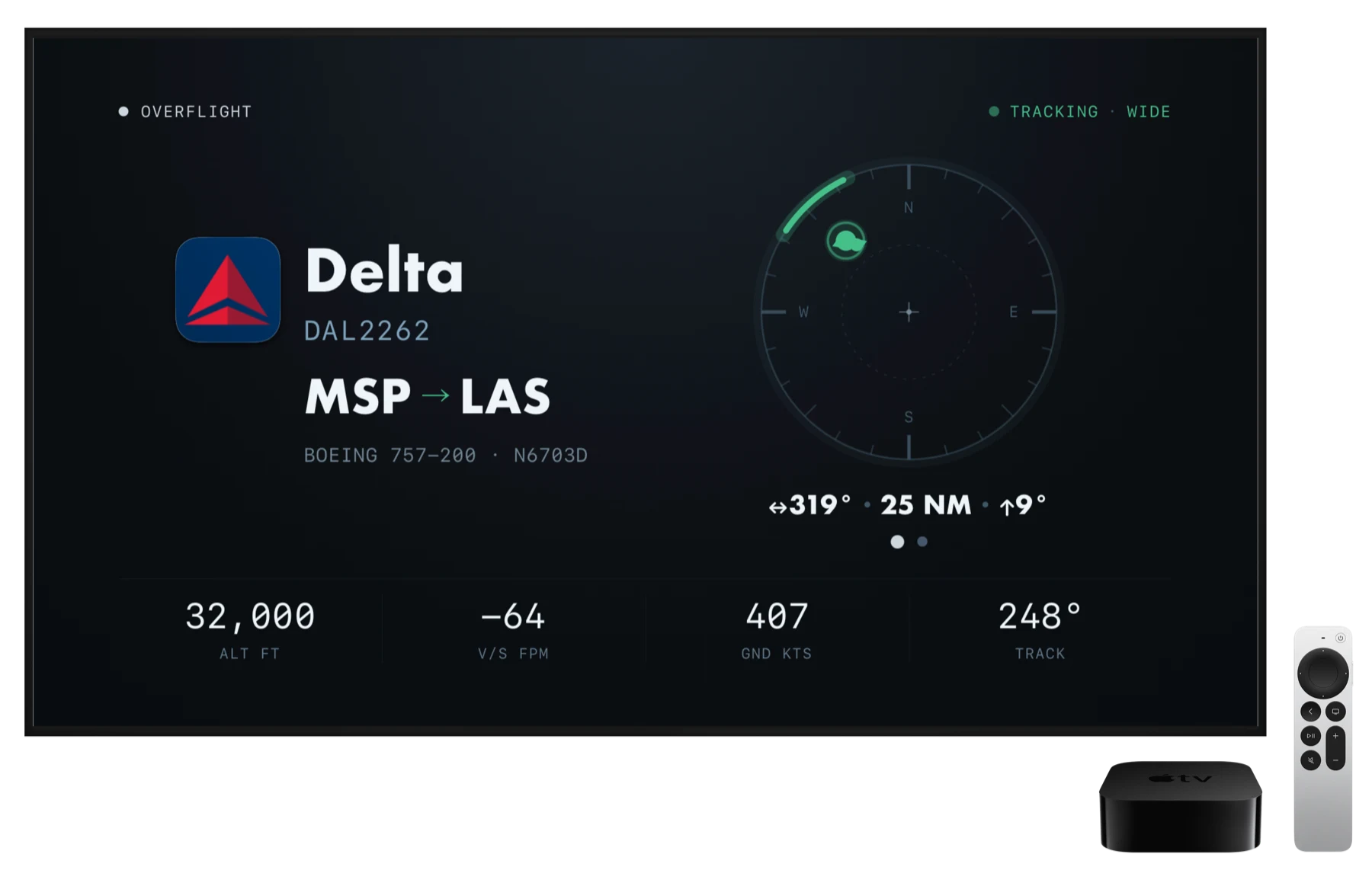
While I was in there, I decided to stop the Apple TV flight-info panel from shifting sideways as route details arrive. It's pinned to the left margin now. I'd centered it a couple of months ago and it seemed like a good idea at the time, but watching it hop around every time a route resolved looked a little twitchy.
Spoken traffic, done properly
Spoken traffic is the Pro feature where Overflight reads out what's overhead, the way a controller calls traffic to a pilot. The first version got it mostly right but, if you've spent any time listening to ATC, you might have noticed a few inconsistencies.
Version 1.5 brings the calls into line with the FAA's actual traffic-advisory format (JO 7110.65, paragraph 2-1-21, if you want to look it up). That means the call now includes direction of movement ("southbound"), the heavy or super wake prefix where it applies ("a heavy Boeing triple seven"), whether the aircraft is climbing or descending, and one consistent way of saying numbers, including "niner" for single digits. The audition sample in the voice picker on iOS uses the new format too, so what you hear when you pick a voice is what you'll hear in the wild.
Small related fix: the C-17 is now "Globemaster" and not "globbamaster", which is how the iOS/tvOS/macOS speech synthesizer pronounces it. For some reason.
Who's flying that helicopter?
Helicopter and general-aviation cards used to say "Helicopter" or "General Aviation" and leave it at that, because the registry data behind them is kind of a mess of trustee banks, shell LLCs, and private individuals that didn't really work in the app.
Now when the registry has an operator worth naming, the card names it. LAPD Air Support Division, County of Los Angeles Fire Dept, Air Methods, NASA, etc. Helicopters will name any real operator; fixed-wing GA only names public-service and institutional ones. Private individuals should never show up. Spoken traffic uses the same name, so you'll hear "LAPD helicopter" rather than just "helicopter."
Read up on the airplane
On iPhone and iPad, the aircraft type on the card now has a little arrow next to it. Tap it and the airframe's Wikipedia article opens right there in the app. If a spoken callout is in progress it keeps talking; the article opens as a sheet on iPhone and full screen on iPad. This is another feature several users had asked for, and I think it works well.
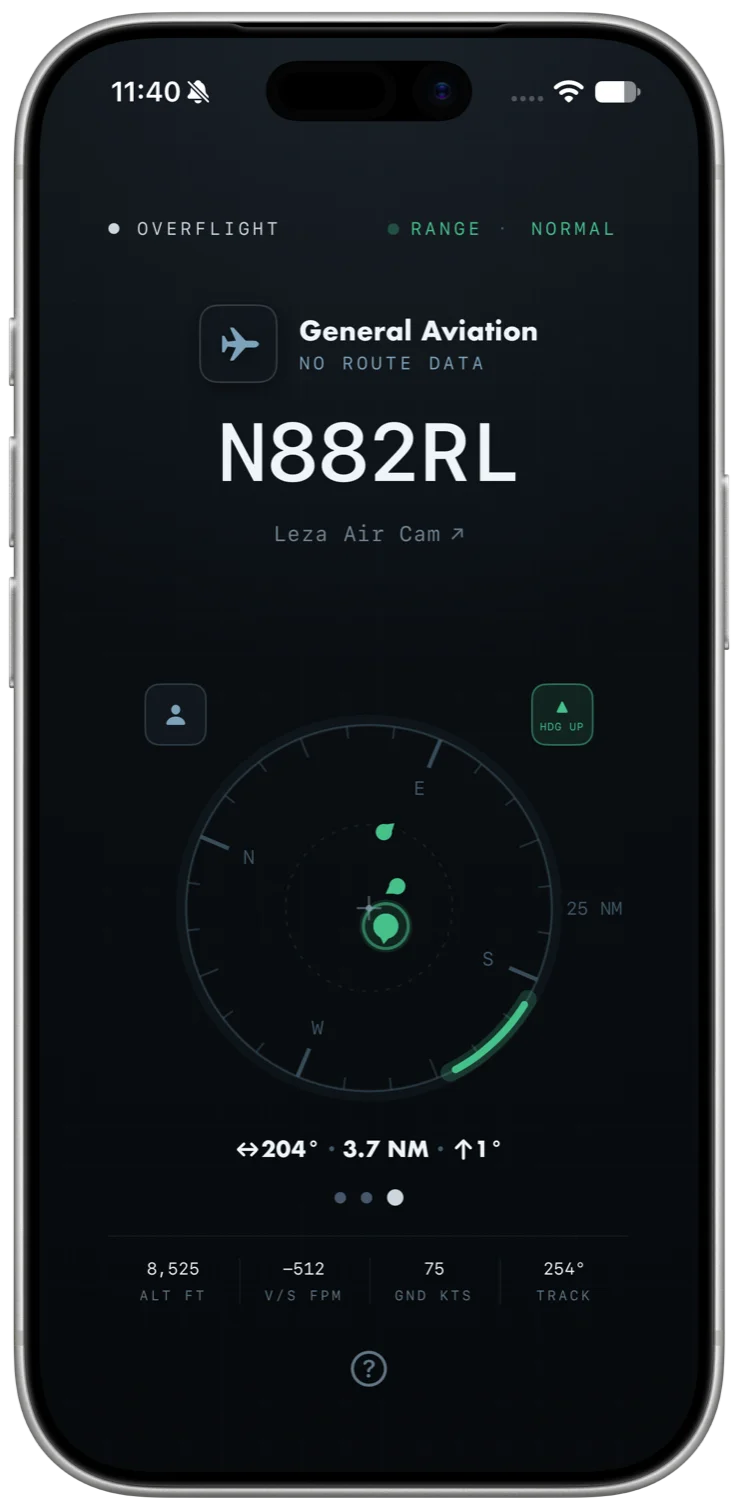
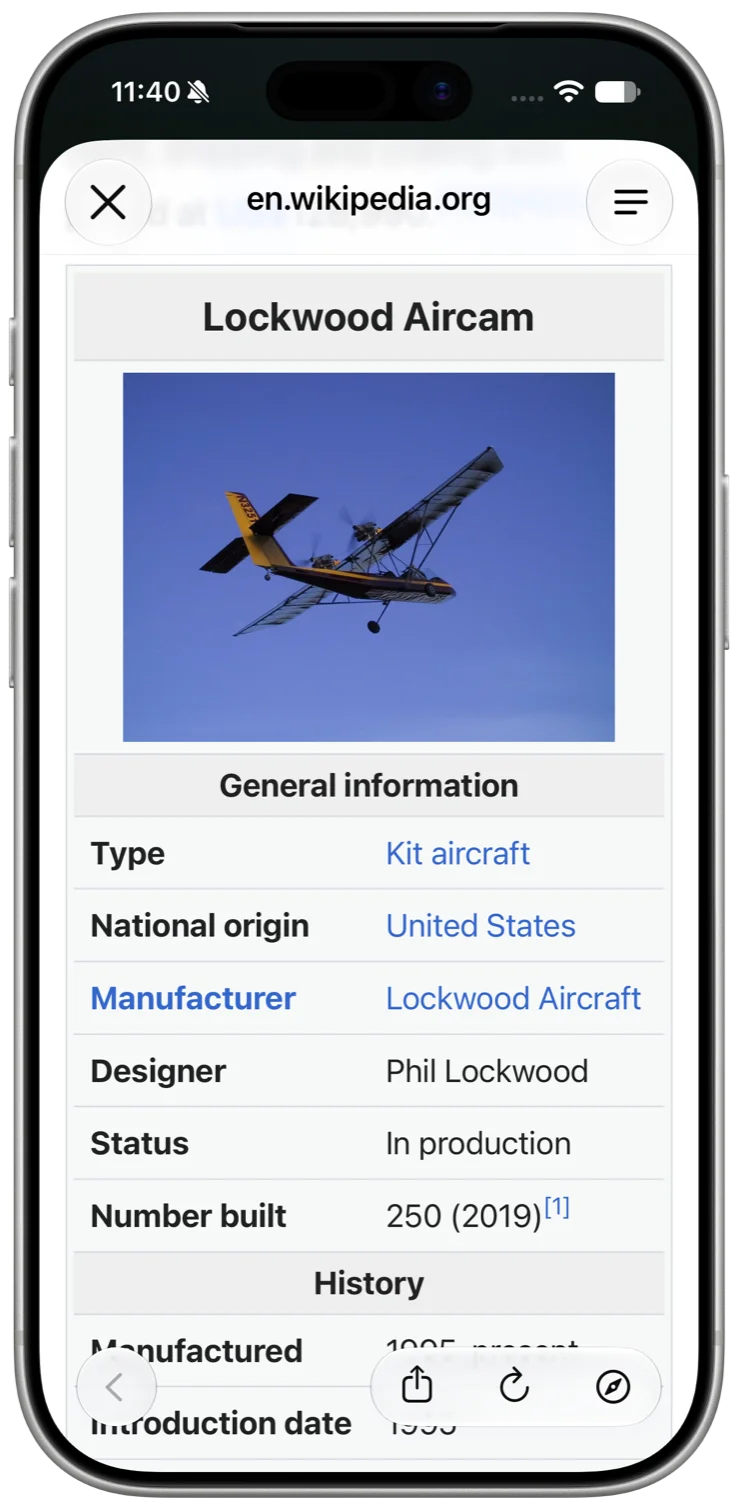
From "What's that?" to "Oh, cool!" with a tap.
Under the hood there is a custom table that maps 1,285 aircraft type codes to articles we actually verified, which covers about 99.7% of the live traffic in a worldwide sample I ran. Anything not in the table falls back to a Wikipedia search. This one is iPhone and iPad only; there's simply no reasonable way to read Wikipedia on an Apple TV.
Get it
Overflight is free to download on the App Store for iPhone, iPad, and Apple TV. A paid Pro upgrade adds routes, spoken traffic, inbound alerts, and always-on display. Of the stuff above, the emergency chip, the operator names, and the Wikipedia link are all in the free app. The airport captions are part of routes and the improved callouts are spoken traffic, so those two are Pro. Details and links on the Overflight page.