On This Day
Today, in years gone by.
Coming Soon
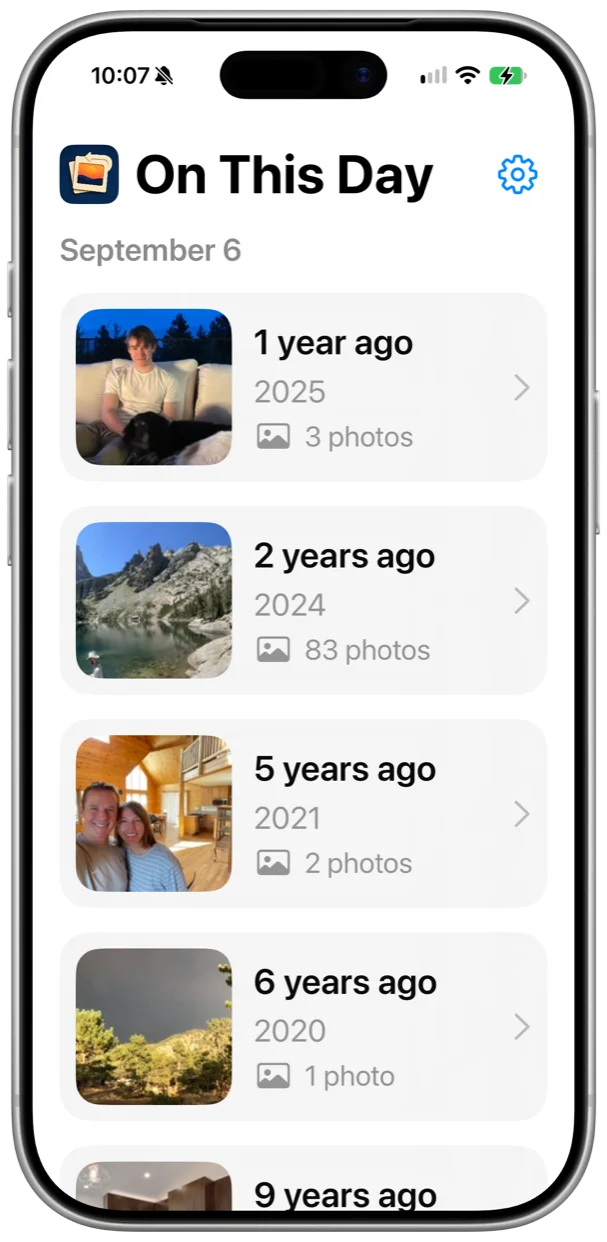
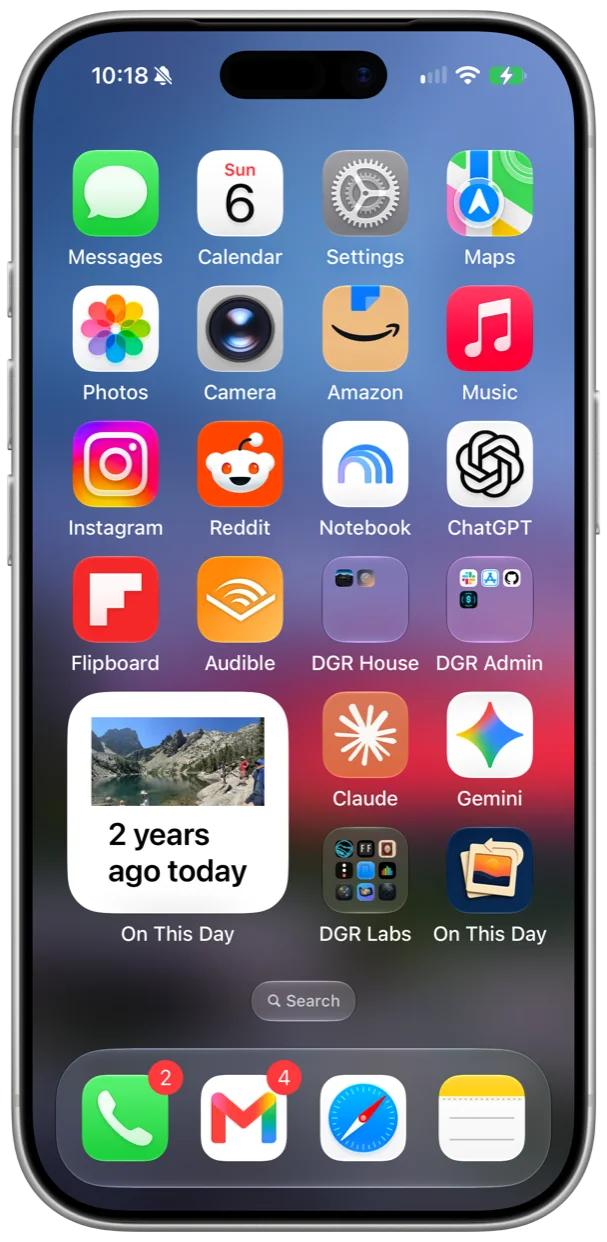
Open it once a day and see the photos you took on this date in other years. There's one page per year, and a Home Screen widget that picks a photo for you each morning.
One page per year
Every year you took photos on this day gets a card with a cover photo and a count. Favorites go first, and screenshots go last. The list fills in year by year, so the recent ones show up right away.
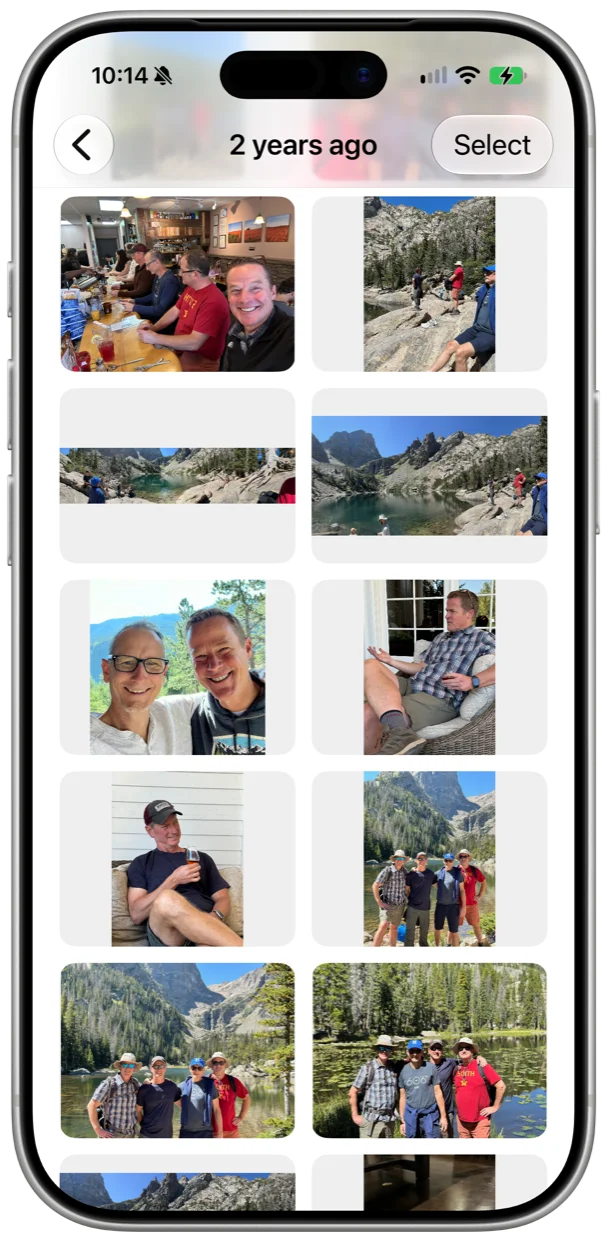
Browse the day
Tap a year to see everything you shot that day. Panoramas stay wide and portraits stay tall, so you can tell them apart. You can select a bunch at once to share or delete.
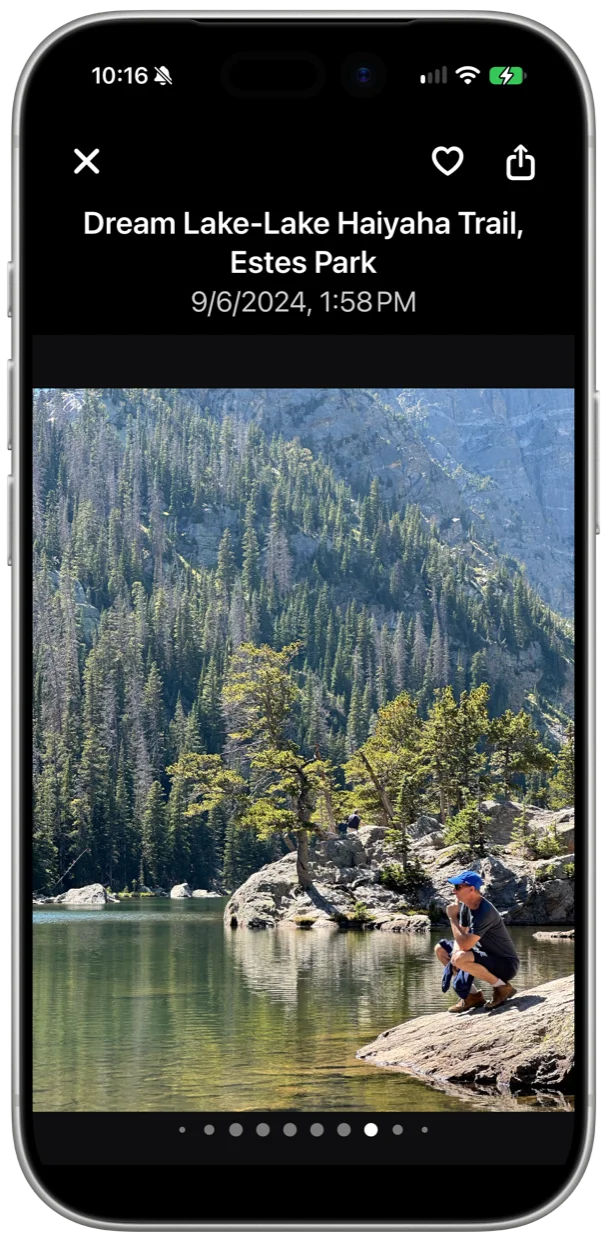
Look closer
Tap a photo to see it full screen, with where and when it was taken up top. Swipe to the next one, or pinch to zoom in. You can favorite it, rotate it, share it, or delete it right there.
A widget for the Home Screen
The widget shows one photo from this day in an earlier year. Tap it and that photo opens in the app. It comes in small and medium, and it works in a Smart Stack.
Favorites first
If you've hearted a photo in Photos, it's the one that leads its year.
Share with a caption
Shared photos come with how many years ago it was, and where, if the photo has a location.
Screenshots are optional
Leave screenshots and bursts out of your memories, or keep them in. It's a setting.
Light or dark
Follow the system, or pick one.
iPhone and iPad
One column on a phone, up to three on an iPad. iOS and iPadOS 17 or later.
Pull to refresh
Just downloaded some photos? Pull down and it looks again.
Your photos never leave your phone
On This Day reads your photo library and that's it. There's no server, no account, and no tracking. The widget keeps a few small thumbnails on your phone, and they blur on the Lock Screen the same way Photos does.
If you only give it access to some of your photos, it works with those and says so. Changing the selection is one tap away.
Questions
What does On This Day do?
It looks through your photos for anything taken on today's month and day in earlier years, and shows you one page per year. Tap a year to see the photos from that day, and tap a photo to see it full screen.
How is this different from Memories in Photos?
Memories picks what to show you and when. On This Day doesn't pick. Every day it shows every year you have photos from that date, and the widget does the same thing on your Home Screen.
Do my photos leave my phone?
No. There's no server, no account, and no tracking. The widget keeps a few small thumbnails on your phone, and they blur on the Lock Screen the same way Photos does.
What if I only give it access to some photos?
That works. It searches the photos you picked, tells you that's what it's doing, and gives you a one-tap way to change the selection.
How does the widget work?
It shows one photo from this day in an earlier year, with a caption saying how many years ago. Tap it and that photo opens in the app. It changes at midnight, and opening the app gets the next few days ready. It works in a Smart Stack too.
Which devices does it run on?
iPhone and iPad, on iOS or iPadOS 17 or later.
When can I get it?
Soon. It's not on the App Store yet. This page will have the link when it is.