On This Day
Same season, same month, same day. Different years.

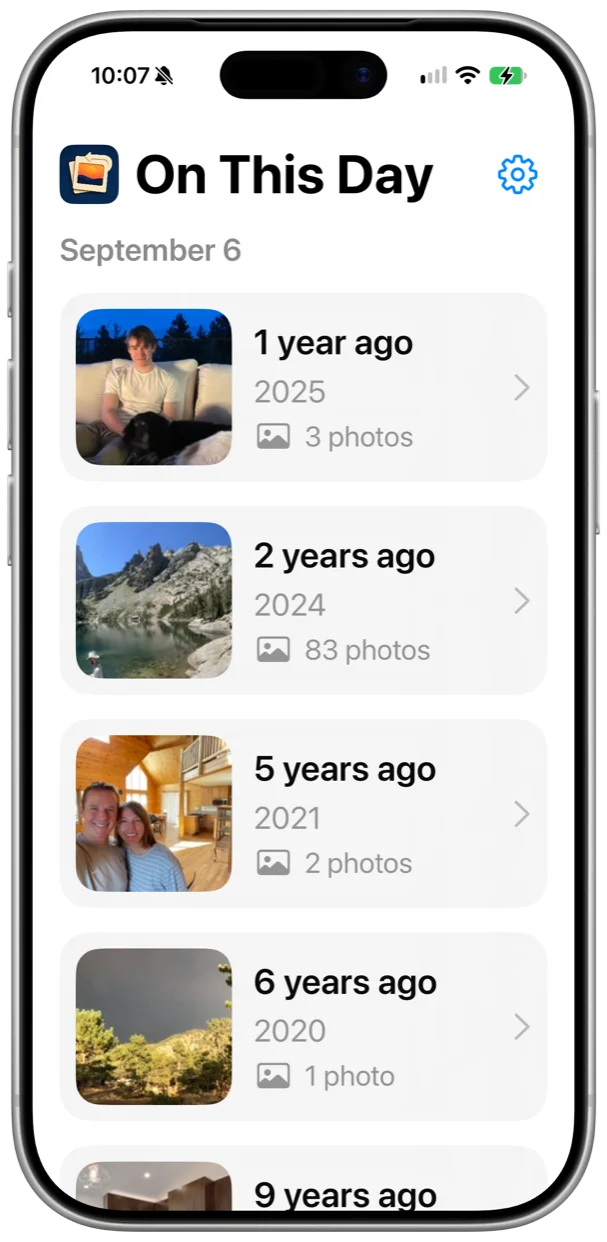
Every day a new view: your photos from this day in previous years. Children grow up, everyone grows older, some of the faces and places remain the same, some come and go. Sit back and take a trip through the years. Every day a different path.
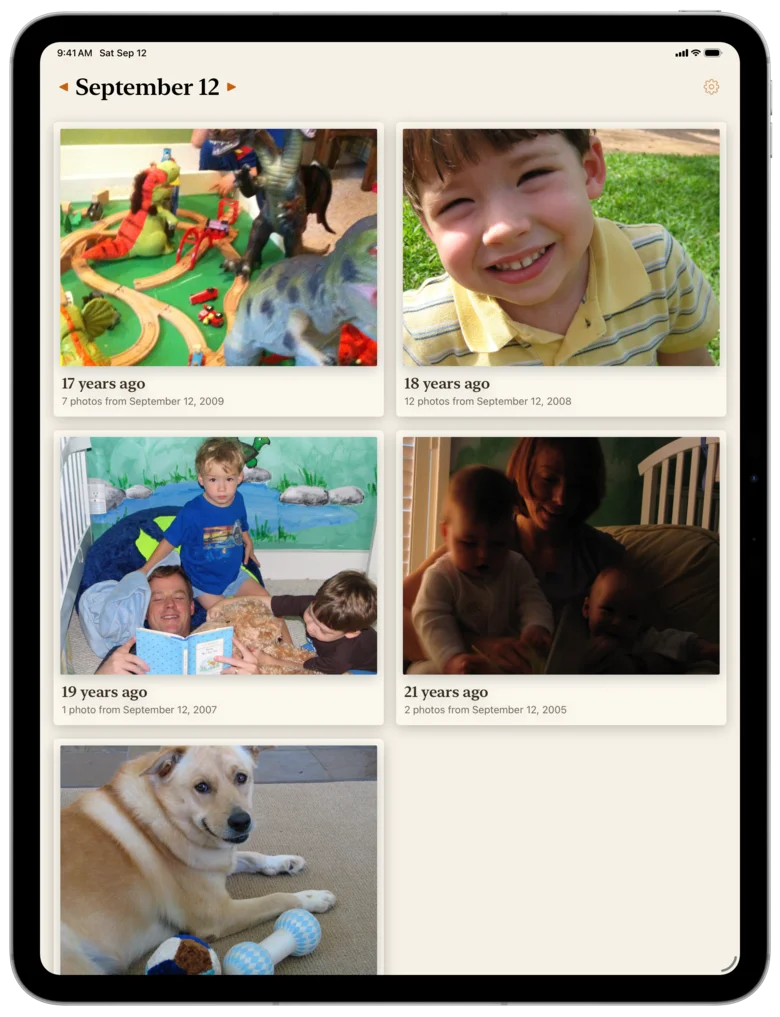
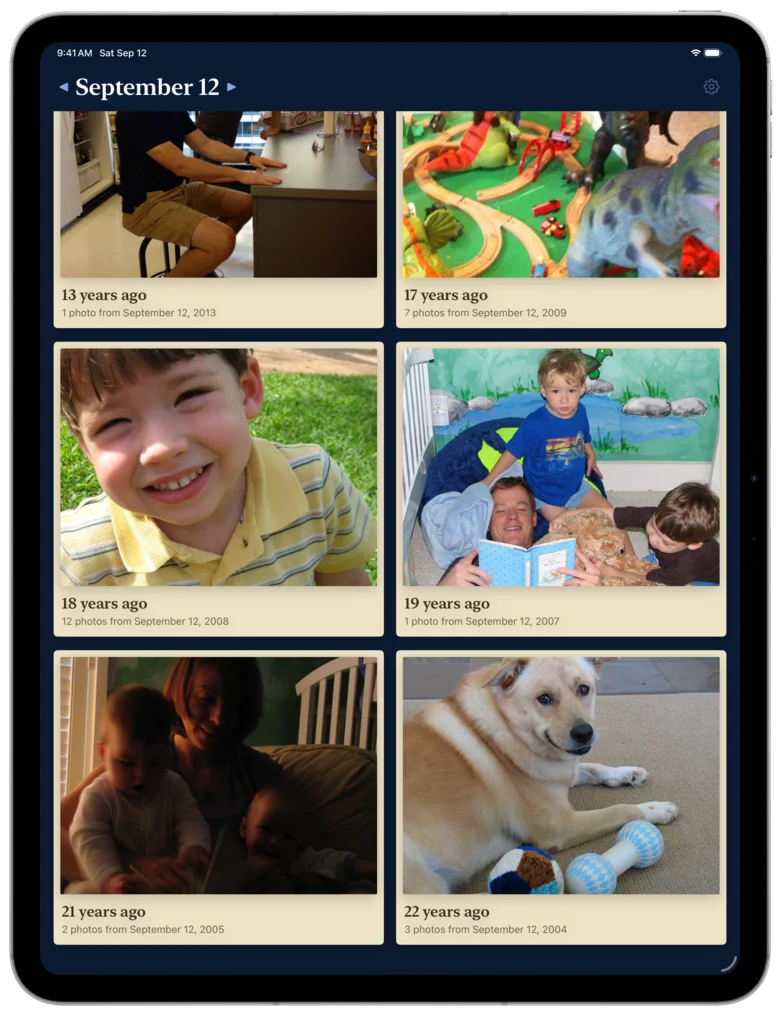
Scroll through the years
There's a card for every year with photos on this date, each one a print of that year's best photo with the year on the margin. Sometimes it's only one, other times lots more. Tap a card to dive into that year on this day.
Curious about a different day? Tap the arrows on either side of the date to step back or forward, or tap the date to pick any day of the year.
Revisit that day
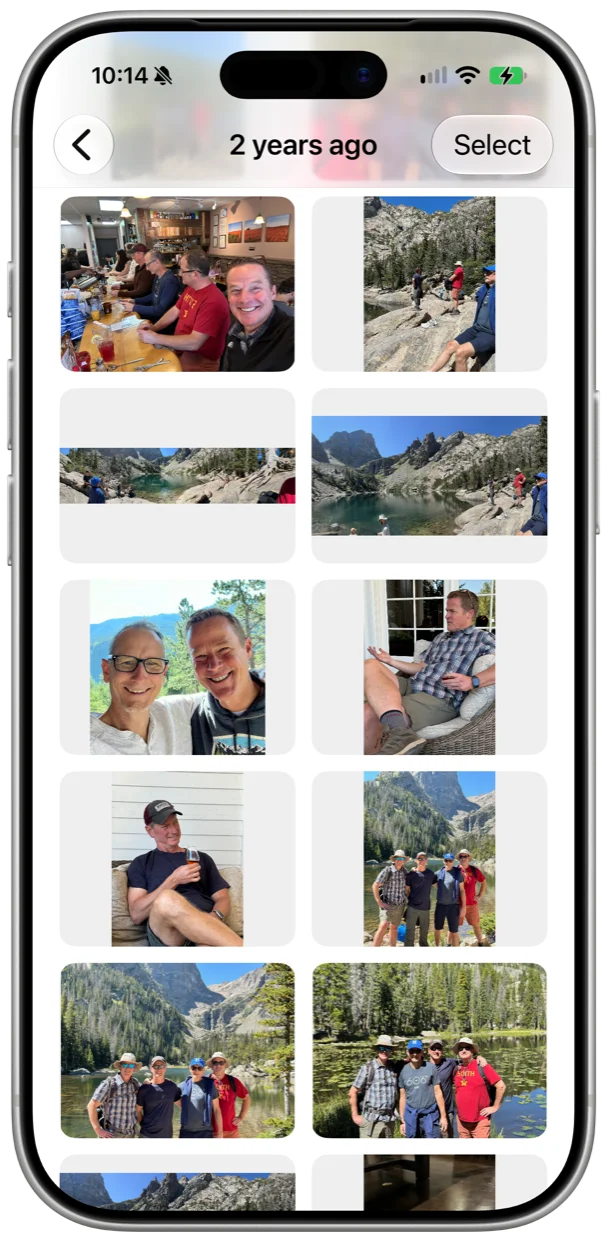
Every photo from today's date in the year you chose. Panoramas stay wide and portraits stay tall, so you can tell them apart. (Don't worry, screenshots and photo bursts are hidden unless you want to see them.) Tap one, or select a group to share or delete. You can even fix the rotation without leaving the app.
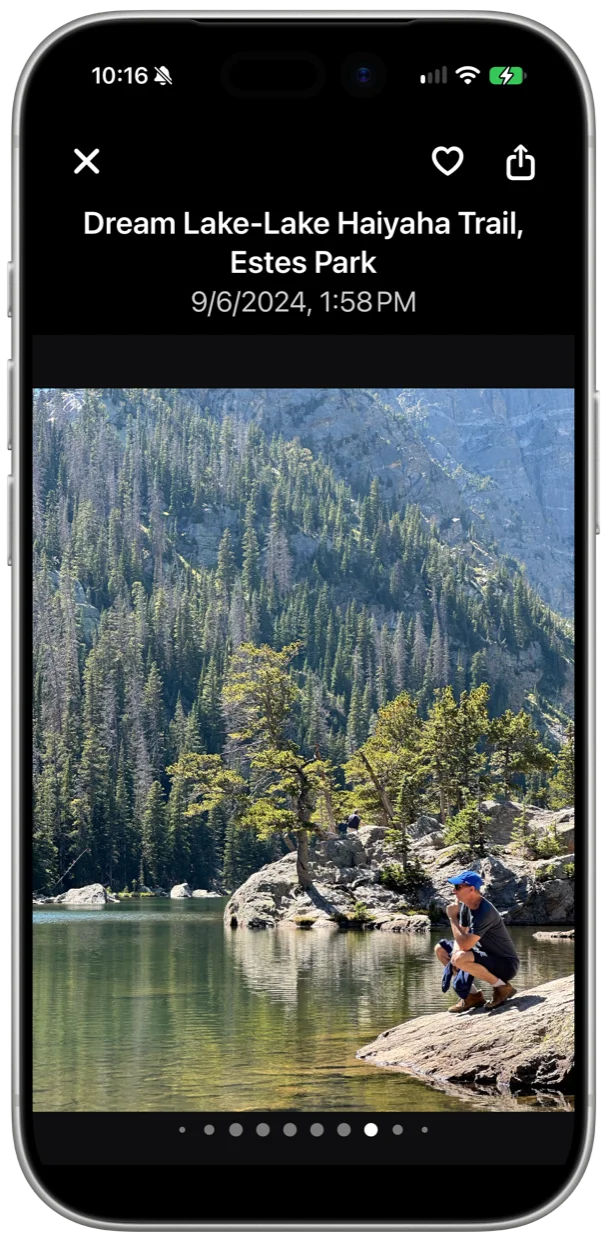
Look closer
Tap a photo to see where and when it was taken. Tap it again and the controls slide away so you can view it fullscreen. Swipe to move to the next photo, or use the arrows. Pinch and spread to zoom in. You can favorite it, rotate it, share it, hide it, or delete it right there. Your changes show up in Photos.
Connect through the past
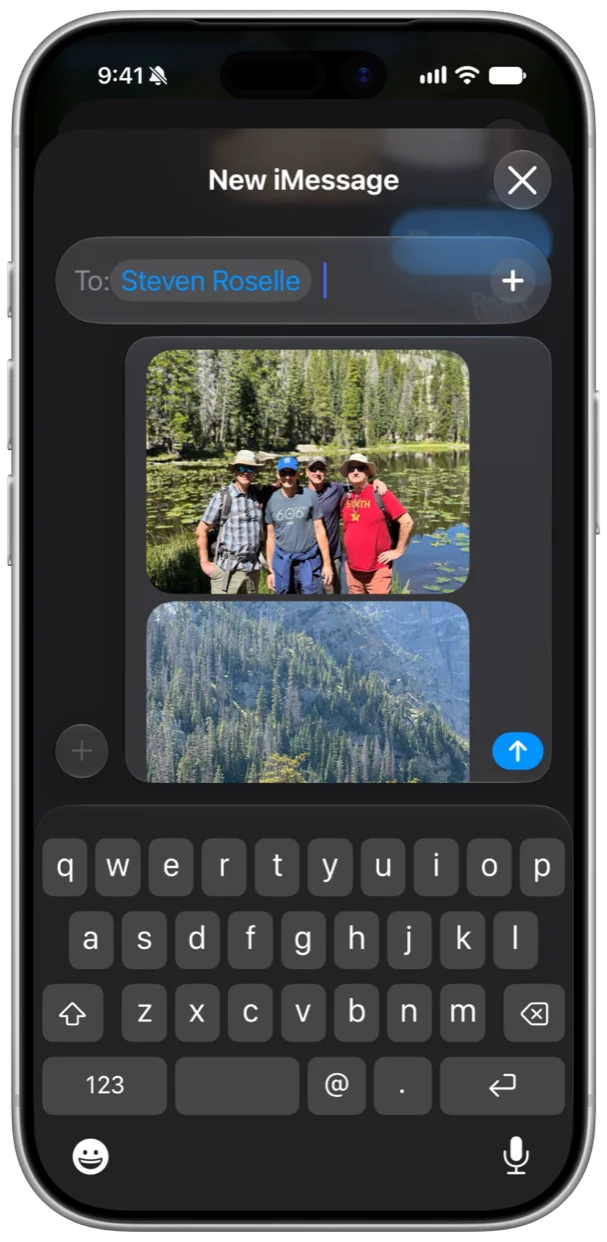
You can share one or more photos at a time on Facebook, in email, with Messages, on Instagram, however and with whomever you want. The caption includes the location and how long ago it was taken. They will be delighted.
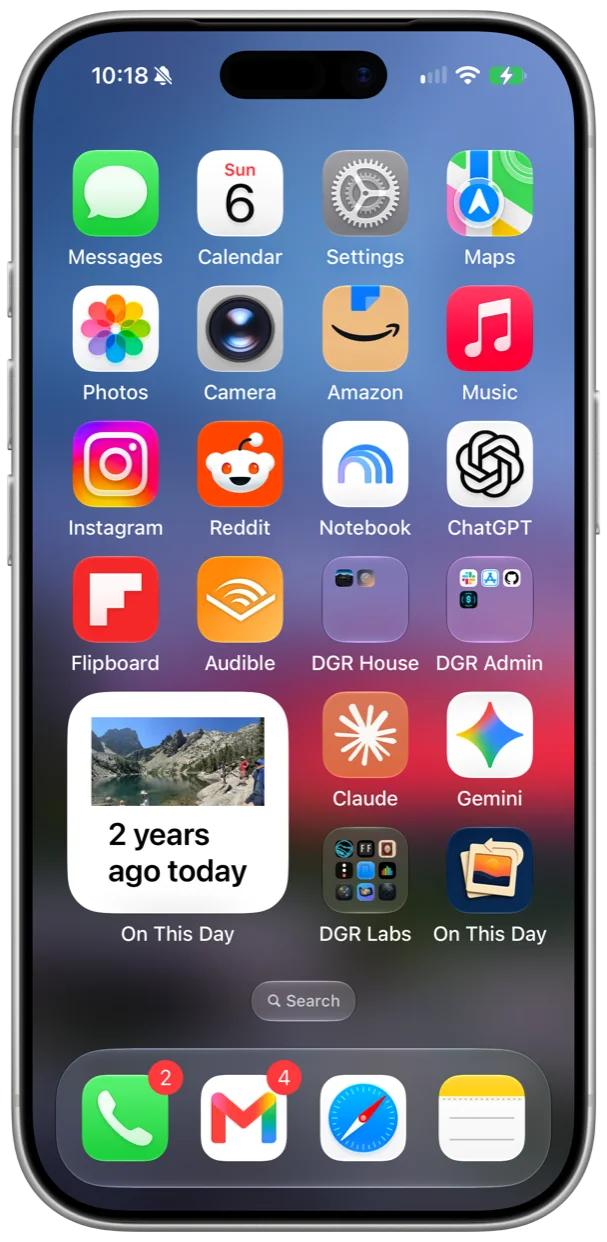
Right on Your Home Screen
You don't even have to remember to open the app. The widget is a little print of one "on this day" photo, updated every day. Tap it and that photo opens in the app. It comes in small and medium, and works in a Smart Stack.
If you'd rather be told, you can turn on daily reminders in Settings. Pick the days and the time, and a notification arrives with photos from that day.
A beautiful, fresh new look
We put extra care into how your photos are presented on both iPhone and iPad, portrait or landscape. Enjoy browsing through the past and sharing your favorite memories with your favorite people.
Features
Any day of the year
Arrows beside the date step a day back or forward. Tap the date to jump to any day, and Today to come back.
Daily reminders
Pick the days and the time. The notification brings two photos from that day and opens the app on it.
Favorites first
If you've hearted a photo in Photos, that's the one that leads its year.
Share with a caption
Shared photos come with how many years ago it was, and where, if the photo has a location.
Hide a photo
Tap the eye-slash in the viewer and it stays out of the app. Settings keeps the list, so you can bring one back.
Screenshots optional
Screenshots, photo bursts, and iCloud Shared Albums stay out unless you turn them on in Settings.
Light or dark
Paper in the light, the icon's navy in the dark. Follow the system, or pick one.
iPhone and iPad
One column on a phone, two or three on an iPad, where the arrow keys page through photos too. iOS and iPadOS 17 or later.
Pull to refresh
Just downloaded some photos? Pull down to refresh.
Your photos never leave your phone
On This Day reads your photo library and that's it. There's no server, no account, and no tracking. Totally private.
If you only give it access to some of your photos, it works with those and says so. Changing the selection is one tap away.
Questions
What does On This Day do?
It looks through your photos for anything taken on today's month and day in earlier years, and shows you one page per year. Tap a year to see the photos from that day, and tap a photo to see it full screen.
How is this different from Memories in Photos?
Memories picks what to show you and when. On This Day doesn't pick. Every day it shows every year you have photos from that date, and the widget does the same thing on your Home Screen.
Can it show a day other than today?
Yes. Tap the arrows on either side of the date to step a day back or forward, or tap the date to pick any day of the year. Tap Today to come back.
How do reminders work?
Turn them on in Settings and pick the days of the week and a time. At that time you get a notification with two of your photos from that day, and tapping it opens the app on that day. They're local notifications from your own phone. Nothing is sent anywhere.
Do my photos leave my phone?
No. There's no server, no account, and no tracking. The widget keeps a few small thumbnails on your phone, and they blur on the Lock Screen the same way Photos does.
What if I only give it access to some photos?
That works. It searches the photos you picked, tells you that's what it's doing, and gives you a one-tap way to change the selection.
How does the widget work?
It shows one photo from this day in an earlier year, with a caption saying how many years ago. Tap it and that photo opens in the app. It changes at midnight, and opening the app gets the next few days ready. It works in a Smart Stack too.
Which devices does it run on?
iPhone and iPad, on iOS or iPadOS 17 or later.
Where can I get it?
On the App Store. It's free, with no in-app purchases.
Free on the App Store
iPhone and iPad, iOS and iPadOS 17 or later.